
oCam v212.0

Ilmainen ohjelma / Freeware
Vista / Win10 / Win7 / Win8 / WinXP
Vista / Win10 / Win7 / Win8 / WinXP
oCam is a free and easy to use screen recorder to capture video from your computer screen.
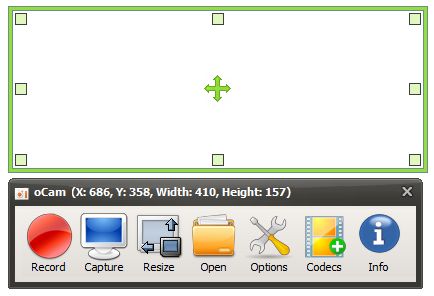
It offers a resizable recording frame that you can drag over the area to be recorded, and you can also choose from several preset sizes or record your desktop in full-screen.
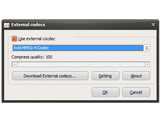
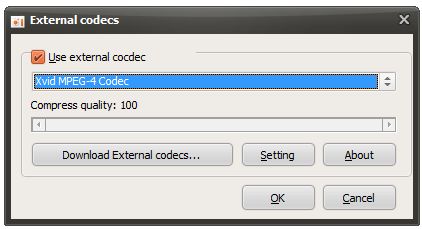
oCam can use any video codec installed on your system. If you don't have any suitable codecs, the software provides a link from where you can download Xvid, x264 or vp8 codecs.
FEATURES
Computer screen, video recording is possible.
Pause/resume of recording function.
Recording using the built-in video codecs(AVI, MP4, FLV, MOV, TS, VOB) and audio codecs(MP3) and real-time audio encoding
Can record you use the external VFW codec.
Have large video formats to support more than 4GB.
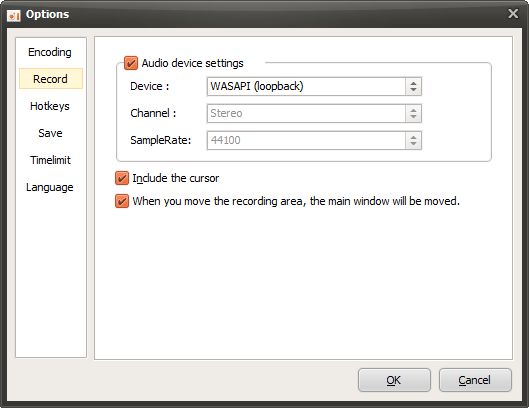
Recording sound from your computer as you can.
Audio recording is made possible without the stereo mix setting.(Windows 7, Vista SP1 or later)
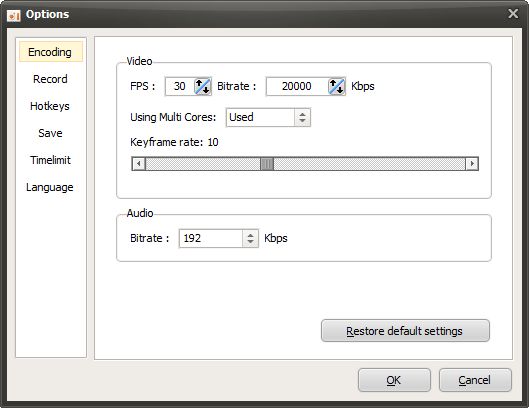
A variety of sound quality when recording can be selected.
Screen capture is possible. Image Format(JPEG, GIF, PNG, BMP)
Recording area of the keyboard can be easily controlled.
Can record the full screen and window area.
During recording, the mouse cursor can be set to be included.
oCam dual-monitor support.
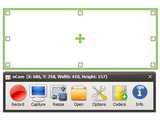
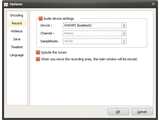
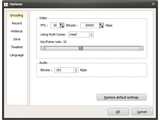
It offers a resizable recording frame that you can drag over the area to be recorded, and you can also choose from several preset sizes or record your desktop in full-screen.
oCam can use any video codec installed on your system. If you don't have any suitable codecs, the software provides a link from where you can download Xvid, x264 or vp8 codecs.
FEATURES
Kuvakaappaukset:
Linkkaa tähän ohjelmaan kopioimalla allaoleva teksti kotisivuillesi:
Lisenssi
Ilmainen ohjelma / Freeware1
Valmistajan kotisivu
Siirry ohjelman kotisivulle
Lisätty
2.3.2020
Latauksia
951
Tiedoston koko
7,33 MB
(<1min @ 1Mbps)
Tuetut kielet
Englanti
Käyttöjärjestelmä(t)
Vista / Win10 / Win7 / Win8 / WinXP1
1Lisenssi- ja käyttöjärjestelmä(t)-kohtien tiedot koskevat ohjelman uusinta versiota.
2.3.2020oCam v495.0(Viimeisin vakaa versio)
23.6.2019oCam v480.0
2.5.2019oCam v475.0
3.4.2019oCam v470.0
29.11.2018oCam v465.0
28.10.2018oCam v460.0
7.7.2018oCam v453.0
23.6.2018oCam v452.0
17.6.2018oCam v451.0
24.11.2017oCam v428.0
19.10.2017oCam v426.0
16.9.2017oCam v421.0
9.9.2017oCam v418.0
2.9.2017oCam v416.0
29.8.2017oCam v415.0
18.7.2017oCam v414.0
8.6.2017oCam v406.0
4.6.2017oCam v405.0
4.5.2017oCam v395.0
2.5.2017oCam v391.0
13.4.2017oCam v382.0
28.3.2017oCam v379.0
5.3.2017oCam v370.0
4.2.2017oCam v366.0
27.1.2017oCam v364.0
21.1.2017oCam v361.0
27.11.2016oCam v344.0
20.10.2016oCam v337.0
6.10.2016oCam v331.0
9.9.2016oCam v313.0
24.8.2016oCam v311.0
20.7.2016oCam v294.0
14.6.2016oCam v280.0
22.4.2016oCam v264.0
25.3.2016oCam v254.0
15.3.2016oCam v240.0
24.2.2016oCam v231.0
4.2.2016oCam v212.0
31.1.2016oCam v208.0
24.1.2016oCam v202.0
14.1.2016oCam v198.0
26.12.2015oCam v173.0
13.12.2015oCam v170.0
3.12.2015oCam v165.0
29.11.2015oCam v163.0
10.11.2015oCam v157.0
6.10.2015oCam v150.0
10.9.2015oCam v136.0
18.8.2015oCam v130.0
2.8.2015oCam v121.0
3.6.2015oCam v118.0
28.5.2015oCam v116.0
12.5.2015oCam v113.0
28.4.2015oCam v107.0
15.4.2015oCam v105.0
22.3.2015oCam v101.0
26.2.2015oCam v98.0
9.2.2015oCam v91.0
11.1.2015oCam v67.0
30.12.2014oCam v57.0
25.11.2014oCam v45.0
4.11.2014oCam v42.0
18.10.2014oCam v39.0
6.10.2014oCam v32.0
2.9.2014oCam v31.0
20.8.2014oCam v29.0
(Ei arvosteluja)

