
Enable Windows Sandbox in Windows 10 Home
![[(Ei arvosteluja)]](https://cdn.afterdawn.fi/v4/download/rating_0_0.gif)
Ilmainen ohjelma / Freeware
Win10
Win10
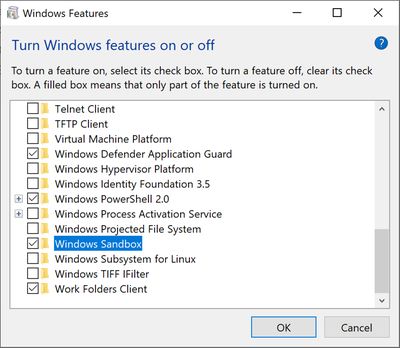
Enable Windows Sandbox in Windows 10 Home contains the batch files required to install or uninstall use Windows Sandbox in Windows 10 Home Edition.
Windows 10 Home is missing some essential features, including the Windows Sandbox, which allows you to run programs isolated safely. These batch files will enable you to run Windows Sandbox in Windows 10 Home Editon.
Requirements:
64-bit OS
Virtualization enabled in BIOS
At least 4GB of RAM
At least 1 GB of free disk space
At least 2 CPU cores
Install Windows Sandbox
1. Double-click on Sandbox Installer.bat. Select Yes when prompted by User Account Control (UAC).
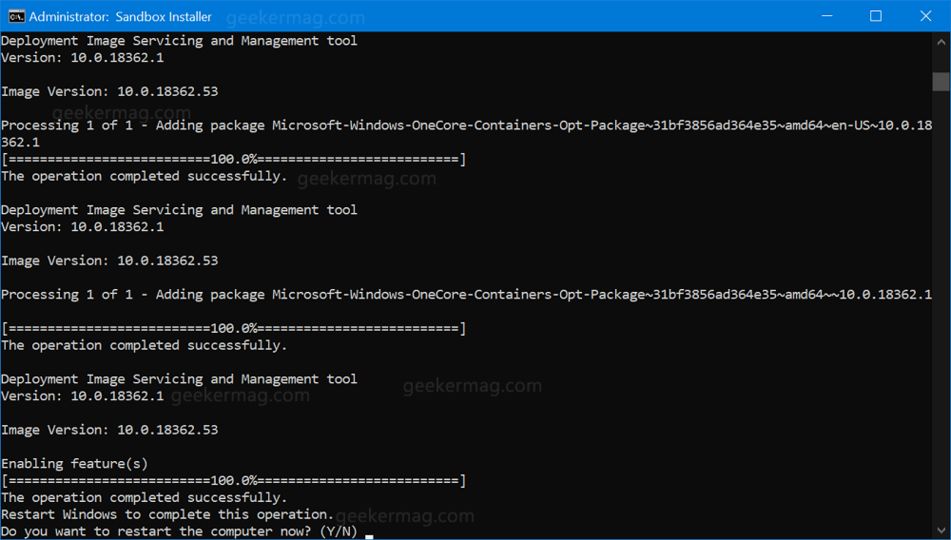
2. The Command Prompt window will appear, and the scripts will run and should take a few minutes.
3. When finished restart the computer.
More info on install/deinstall on Deskmodder (German language).
Windows 10 Home is missing some essential features, including the Windows Sandbox, which allows you to run programs isolated safely. These batch files will enable you to run Windows Sandbox in Windows 10 Home Editon.
Requirements:
64-bit OS
Virtualization enabled in BIOS
At least 4GB of RAM
At least 1 GB of free disk space
At least 2 CPU cores
Install Windows Sandbox
1. Double-click on Sandbox Installer.bat. Select Yes when prompted by User Account Control (UAC).
2. The Command Prompt window will appear, and the scripts will run and should take a few minutes.
3. When finished restart the computer.
More info on install/deinstall on Deskmodder (German language).
Kuvakaappaukset:
Linkkaa tähän ohjelmaan kopioimalla allaoleva teksti kotisivuillesi:
Lisenssi
Ilmainen ohjelma / Freeware1
Valmistajan kotisivu
Siirry ohjelman kotisivulle
Lisätty
27.11.2019
Latauksia
39
Tiedoston koko
1,52 kB
(<1min @ 1Mbps)
Tuetut kielet
Englanti
Käyttöjärjestelmä(t)
Win101
1Lisenssi- ja käyttöjärjestelmä(t)-kohtien tiedot koskevat ohjelman uusinta versiota.
(Ei arvosteluja)

